Edge Cases with request workflows
With multi-step approval workflows being dependent on a lot of factors and running for multiple days until completed, there are possible edge cases that may occur when your company structure and staff change.
This may not be a complete list.
Multiple roles / departments
Users may have multiple roles or departments attached. freispace will handle the following cases:
-
If any department/role has a workflow for a specific entry (e.g. holiday), the submission of that entry via workflow will be enforced for the user
- E.g. the user will not be able to enter absences directly, even though a specific role/department may not have a workflow
-
If the user has multiple departments/roles with workflows for a specific entry, a selection box will appear, allowing the user to select which department/role to use for submission
- E.g. a user is in two departments, "Post" and "Studio". Both have holiday workflows. When the user wants to add a holiday, they can select as part of which department they want to submit the request.
Workflow requires staff selection, but no staff is available
If a workflow is set up to require the user to select a recipient, but no eligible recipients are available (e.g. no staff members with an attached user), the user will not be able to create or launch the approval workflow.
The following error will be shown to the user:
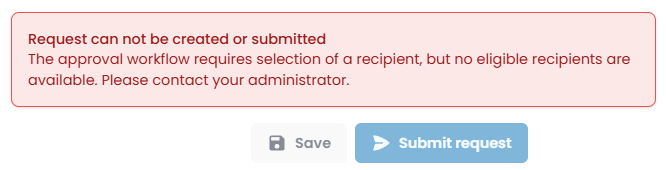
Workflow cannot be launched: Workflow does not have any staff to approve
If a workflow contains any steps with no users (e.g. staff exist, but are not linked to a user account), freispace will prevent starting/launching the request with the message Workflow does not have any staff to approve.
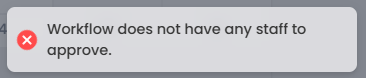
This applies to any step in a multi-step workflow, e.g. if in step 3 of 5 no staff is available, the message will also be shown.
This may primarily happen in two cases:
- Staff exist, but are not linked to a user account
- because they never were
- or because the user left the team / was removed from the team.
- A step just has the current requester as staff. The current person submitting the request is always filtered out in order to avoid scenarios where staff can approve requests themselves.
Updating workflows
Changing workflows only affects future request. Any requests already submitted will not be affected by the change.
Time-outs
If no approval is submitted in any step, the workflow will wait for the period set up, after which it will time out. Users are notified of time-outs.
Workflow members no longer exist
A user submits a request. If none of the staff members are linked to a user account anymore (e.g. the only manager entered for approval has left the company), one of two scenarios might happen:
-
If the request was submitted while the user was still a member of the team, and has now left the team without approving the request, the request will run and await approval until it times out.
-
If the request is submitted and the user no longer exists, the user is skipped. If an entire step only consisted if one user (which now has left the team), the creation of the request is prohibited (and fails with a message).